
How to access musang78 on your mobile device
We provide three installation pathways for musang78, each suited to different user preferences and device capabilities.
Android APK installation walk-through
To install musang78 on Android, first download the APK file from our secure server by visiting musang78.app and selecting the Android download link. Once the file lands in your Downloads folder, open your device Settings, navigate to Security or Apps, and enable "Unknown Sources" (this permits installation from sources outside Google Play). Return to your Downloads, tap the musang78 APK file, and follow the on-screen prompts to install. After installation completes, open musang78, register your account (or log in if you already have one), and complete KYC verification before depositing funds.

iOS browser and home screen installation
For iPhone and iPad users, we recommend accessing musang78 through Safari. Open Safari, navigate to musang78.app, and tap the Share button (the square with an arrow). Select "Add to Home Screen," name the shortcut "musang78," and confirm. The app icon appears on your home screen and launches in a full-screen interface that mimics a native app. This progressive web app approach bypasses App Store approval timelines and ensures you always have the latest musang78 version with no manual updates required.
Web app access from any device
Any user with a smartphone, tablet, or desktop computer can access musang78 by visiting musang78.app in a modern browser (Chrome, Firefox, Edge, Safari). No download or installation is necessary. The web app detects your device type and adapts the layout accordingly. If you wish to convert the web experience into a home screen app, most browsers (Android Chrome, iOS Safari) offer an "Install app" or "Add to home screen" option. Our progressive web app caches essential resources locally, allowing limited functionality even during temporary network interruptions.
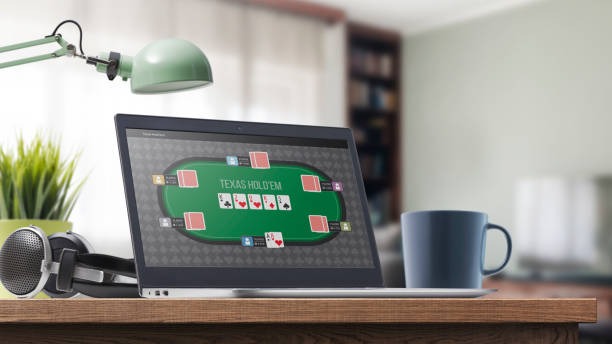
App vs. browser: speed and offline capability
Our native Android APK runs directly on your device and loads slot tournaments and live-dealer table feeds faster than a browser because it bypasses Safari or Chrome's rendering overhead. The APK also caches game assets and payment logos (DANA, e-wallet, mobile banking, local payment, online payment, e-wallet) on your phone, reducing data consumption during tournament participation around Idul Fitri, Idul Adha, or during major Liga 1 seasons. Push notifications from musang78 alert you to tournament start times and live football odds without requiring the app to be open. The iOS browser and web app deliver nearly identical speed on newer devices, though they depend on your device's default browser and internet connection. All three paths encrypt your account credentials and payment details to the same security standard.
Device compatibility and system requirements
musang78 requires Android 7.0 or later and iOS 12 or later. We support devices with at least 2 GB of RAM and 100 MB of free storage for the APK. The web app runs on any modern browser released in the last two years. If your device runs an older version (Android 6 or iOS 11), we recommend upgrading to ensure app stability and security. For extremely low-bandwidth scenarios (rural areas, weak 3G), the web app degrades gracefully and displays text-only views of slot tournament schedules and sportsbook coverage until connection strength improves.
Troubleshooting common installation issues
If the Android APK fails to install, verify that you have enabled "Unknown Sources" in Security settings and that your device has sufficient storage space. Some Android devices show a warning that the APK is not from Google Play; this is expected and safe—our APK is signed with our certificate. If iOS Safari does not display the "Add to Home Screen" option, ensure you are using Safari (not Chrome) and that you are on the latest iOS version. For web app users experiencing slow load times, clear your browser cache, disable any ad-blocking extensions temporarily, and refresh musang78.app. If slot games freeze during tournament play, force-close the app or browser, reopen musang78, and check your network connection stability. Our support team can assist with more complex issues during standard business hours.
App permissions, data security, and account protection
The musang78 Android APK requests permission to access your device's internet connection (required for deposits and gameplay), storage (to cache game assets), and camera (only if you choose to upload a selfie during KYC verification). We do not request access to your contacts, call logs, or files unrelated to musang78. All data transmitted between your device and our servers is encrypted using TLS 1.3. Your password, payment information, and KYC documents are stored in encrypted form and accessible only to authorized musang78 staff. We recommend enabling two-factor authentication (2FA) on your account as an additional security layer. If you suspect unauthorized access, reset your password immediately through the "Forgot Password" flow and contact our support team.